




Using the Kicker Tailgate Speaker System
The GMC Multi-Pro tailgate available on Sierra 1500 and Sierra HD models adds tremendous flexibility to the cargo bed. Among its six modes are cargo stops, an access step, a convenient-height work surface, and more. These are all ways to enable your truck to work harder for you. However, when it comes to play, an option allows the tailgate to facilitate that as well by becoming an outdoor speaker system. Ewing GMC tells you more about the Kicker Tailgate Speaker system.
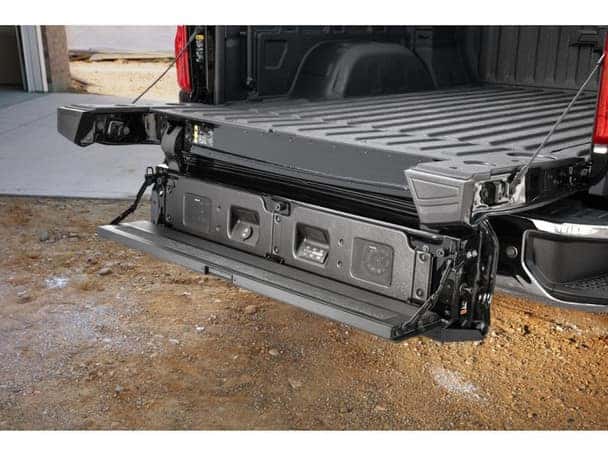
The system is both well-hidden and weatherproof. It only reveals itself when you drop the tailgate, lower the upper portion of the tailgate, and pull the step panel down, as you would when you use the tailgate to step up into the cargo area. Lowering the step panel automatically turns the system on and reveals a section for input jacks, a small control panel, and two Kicker coaxial speakers behind protective metal grates. This system operates completely independently of the audio system in the cabin. Its content can be sourced through Bluetooth, a USB-A port, or a 3.5mm jack, often called an auxiliary jack.
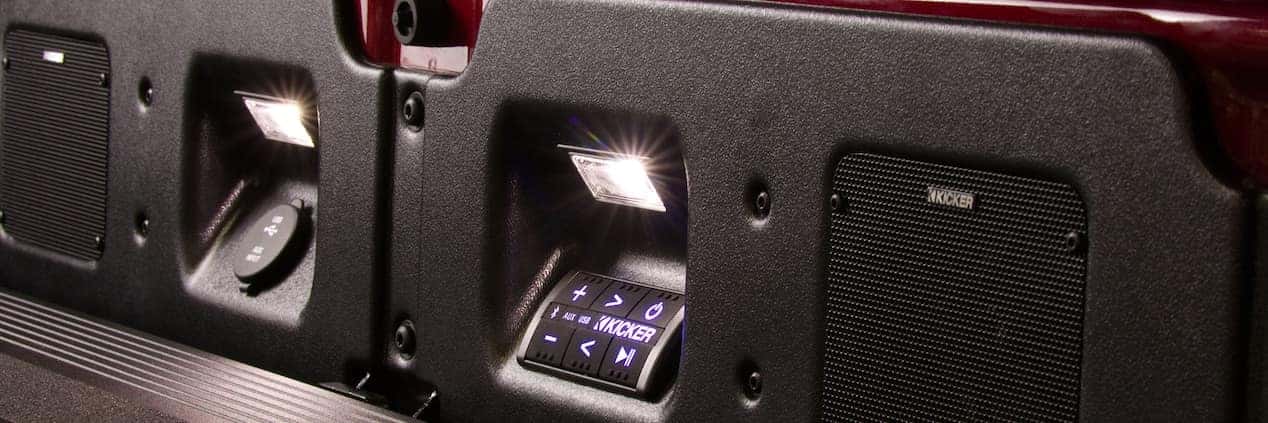
The control panel consists of six backlit buttons, including two to raise and lower volume, one to skip ahead, one to go back to the beginning of the selection, a play/pause button, and the “power” button, which is actually used to select the source.
Again, this system is separate from the cabin audio system, so whatever you play in the cabin will have no effect on the kicker tailgate system. You can remove your keys, close and lock your cabin, and still use the Kicker tailgate system. You could also play separate things on each system simultaneously if you found a reason to do that.
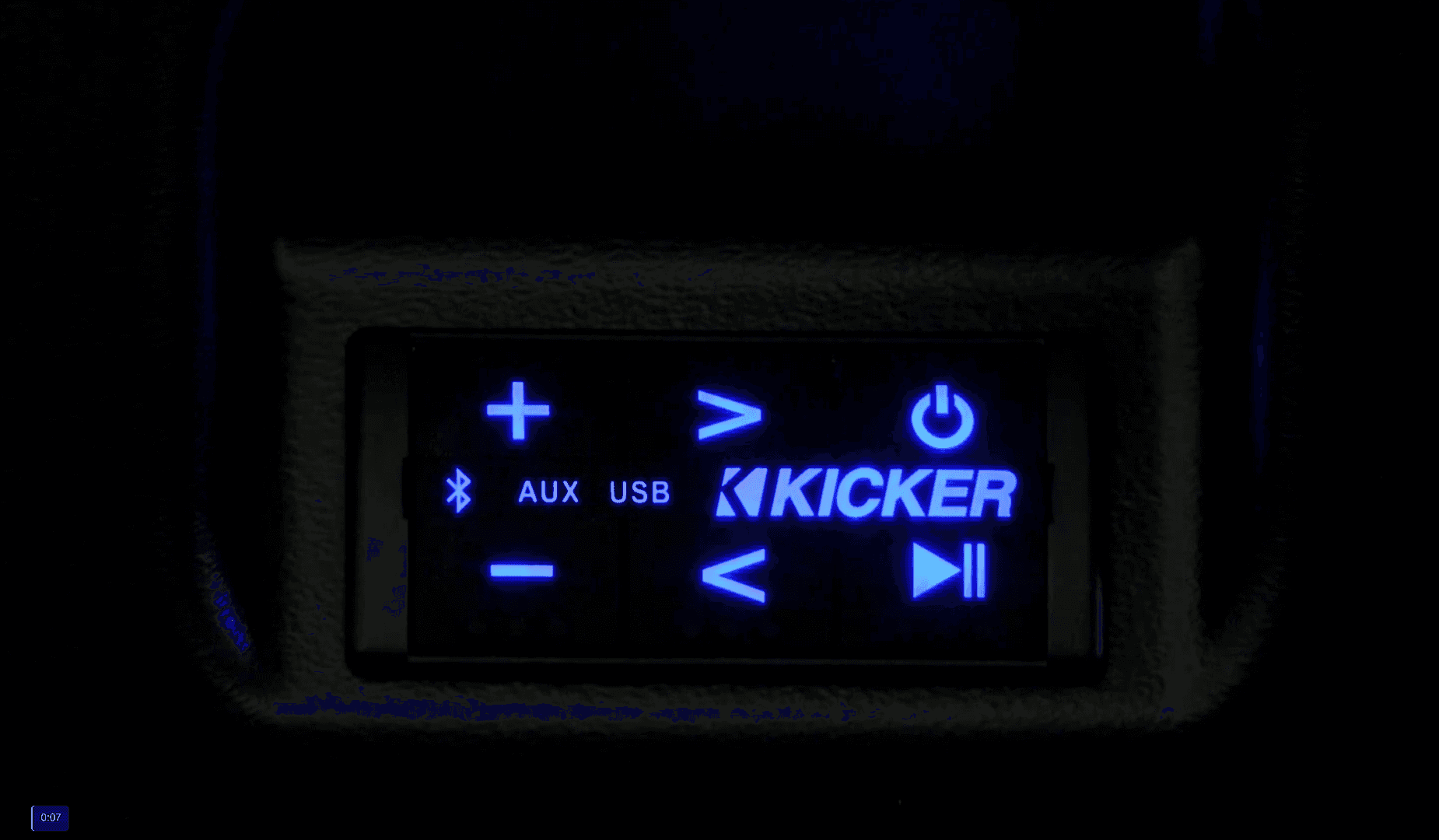
In order for this to be possible, even if you have paired your phone to the cabin audio system, you will need to pair your phone or device separately to use it as a content source for the Kicker system. Pairing your device to the system is pretty easy with these steps:
1. Open the tailgate, drop down the upper gate, and lower the step panel. This will automatically turn on the system.
2. In the middle of the control panel are lights for the three sources. Pushing the power button will rotate through the sources. Stop when the Bluetooth logo light is on.
3. Press and hold the play/pause button until the Bluetooth logo begins blinking.
4. The blinking Bluetooth light indicates that it is ready to be paired. To complete the pairing, go to the Bluetooth controls on your device and select” Kicker Tailgate Audio” from the list of choices. This should complete the pairing.
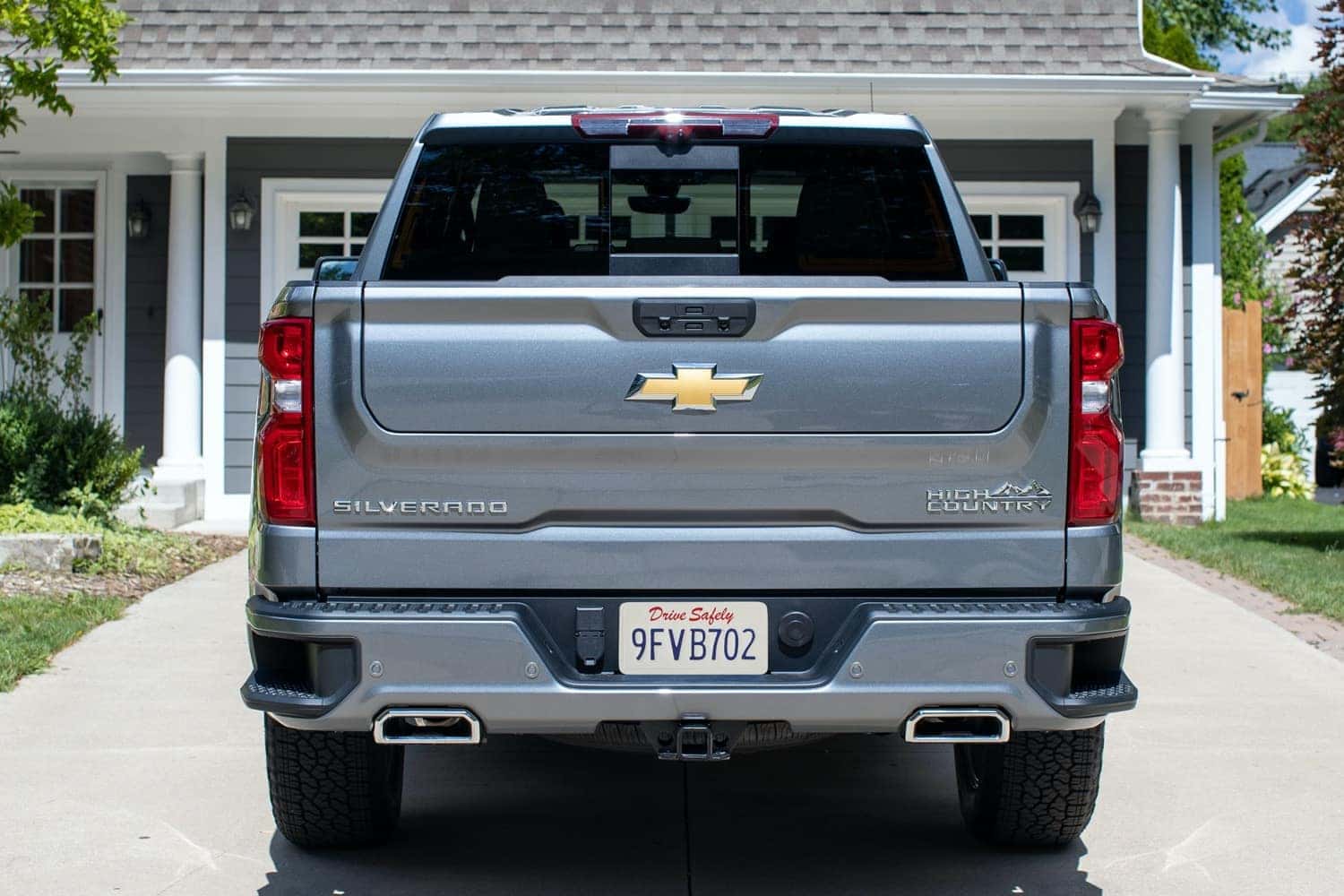
The system draws its power from the vehicle battery. The 100-watt system draws little power, so it can be on for several hours without restarting the truck.
The system brings added meaning to the term “tailgate party.” You can buy the Kicker tailgate speaker system with a new truck purchase from Ewing GMC. You can also add the system to an existing truck with the Multi-Pro tailgate through our Parts Center and have our Service Center install it.
0 comment(s) so far on Using the Kicker Tailgate Speaker System